Amateta Chain POS

One Main. Every shop. Every cash-up.

Point of sale for chain stores in Namibia — sweet shops, clothing and every business with a Main and branches. Send stock from Main to each shop, invoice the shops, and see every shop's sales and cash-up in one place.

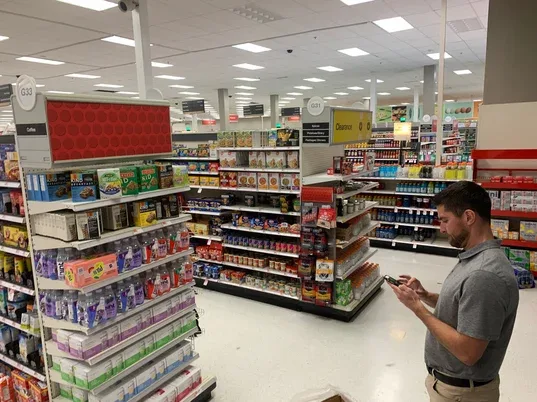
A shop with full shelves
From Main to every shop

Stock out, money in, every day

Main buys and holds the stock, sends it to the shops, invoices them, and gets every shop's day back.

1 · Buy

Stock into Main

Purchases from suppliers come into Main (head office or warehouse).

2 · Send

Transfer to a shop

Dispatched stock comes off Main at once; the shop receives it, with missing and damaged recorded.

3 · Invoice

Main invoices the shop

An invoice for what the shop received, at cost or selling price, emailed to the shop.

4 · Report

Every shop's cash-up

Sales, cash, cards, Z reading and short or over, emailed to head office each day.

Two kinds of shop, one system

A till, or a cash register and the daily sheet

Each shop is set once in Branches & Tills. Both kinds take their stock from Main and report to head office.

Shops with an Amateta till

Sell on Amateta Chain POS: scanning, receipts, card and cash, customer display. Sales and stock sync to Main, offline-safe.

Shops with a cash register

The cashier sends the daily sales sheet: items sold (or the amount, for sweets by weight) and the cash-up as on paper.

The paper cash-up, done right

Z number and reading, over-rings, drawer counted note by note, float, card machine, purchases, expenses, creditors — short or over worked out.

Stock transfers

Main to shop, shop to shop: dispatched, in transit, received — with a delivery note. A shop never sells stock it does not have.

Branch invoices

Main invoices each shop for its stock by email, and sees what every shop still owes.

Stock per shop

Every shop's stock and value, counts per shop, and one product and price list for the whole chain.

Reports by email

Every shop's cash-up emailed to head office, with the slip photo; head office tills can print them.

Each cashier, own sign-in

Every cashier has a home shop and sees only that shop's work.

Works offline

The tills keep selling when the internet is down; everything syncs when it is back.

Getting started

Set up your chain

  1. Create your account — Main is set up for you and your 14-day free trial starts at once.
  2. Add your shops in Branches & Tills: with a till, or with a cash register (daily sales sheet), and each shop's email.
  3. Add your staff and give each cashier their home shop.
  4. Install Amateta Chain POS at Main and at every shop with a till.
  5. Send the first stock from Main with a transfer. The shop receives it and gets its invoice.

Downloads See pricing

Monthly subscription

Plans for every chain

Start with a 14-day free trial. After the trial, renew monthly by EFT.

Chain Starter

Main plus 2 shops.

N$399.00

per month · paid upfront by EFT

  • Up to 10 staff accounts
  • Unlimited products
  • Up to 3 computers (tills) per licence
  • Multi-branch & stock transfers — up to 3 branches
  • Quotations & tax invoices
  • Main (head office or warehouse) plus 2 shops
  • Shops with a till, or a cash register and the daily sales sheet
  • Stock transfers from Main, deducted from Main
  • Main invoices the shops, by email
  • Every shop's cash-up emailed to head office
Choose Chain Starter

Chain Professional

Main plus 5 shops.

N$799.00

per month · paid upfront by EFT

  • Up to 30 staff accounts
  • Unlimited products
  • Up to 6 computers (tills) per licence
  • Multi-branch & stock transfers — up to 6 branches
  • Quotations & tax invoices
  • Company logo on receipts & documents
  • Main plus 5 shops
  • Everything in Starter
  • Up to 6 tills
  • What each shop owes Main
  • Your logo on invoices and receipts
Choose Chain Professional

Chain Enterprise

Main plus as many shops as you need.

N$1,499.00

per month · paid upfront by EFT

  • Up to 200 staff accounts
  • Unlimited products
  • Unlimited computers per licence
  • Multi-branch & stock transfers — unlimited branches & warehouses
  • Quotations & tax invoices
  • Company logo on receipts & documents
  • Unlimited shops and warehouses
  • Everything in Professional
  • Unlimited tills
  • Group reports across every shop
  • Priority support
Choose Chain Enterprise

Tills, printers and installation are quoted separately.

Questions

Amateta Chain POS — questions

Is Amateta Chain POS a separate program from Amateta POS?

Yes. It is its own Windows program for a business with a Main and several shops, with its own shortcut, data and updates. It uses the same proven selling, stock, payments and reports as Amateta POS.

Some of our shops have no computer, only a cash register. Does that work?

Yes. Set those shops to the daily sales sheet in Branches & Tills. At the end of the day the cashier signs in on a phone or computer and enters what was sold and the cash-up as on the paper sheet: the Z reading, the drawer counted note by note, the float, the card machine total and anything paid out. The stock comes off that shop and head office gets the report by email.

How does stock get from Main to the shops?

With a stock transfer: Main picks the products and dispatches them (they come off Main's stock at once), and the shop receives them. Anything missing or damaged is recorded on the transfer.

Does Main invoice the shops?

Yes. When a shop receives a transfer, it gets an invoice for what it received, at cost or selling price as you choose, emailed to the shop. Branches & Tills shows what each shop still owes Main.

Can the shops with tills keep selling without internet?

Yes. Every till keeps selling offline and syncs its sales and stock when the connection is back.

Is hardware included?

Hardware and installation are quoted separately. See our POS hardware page or contact us for tills, printers and scales.


Run your chain on Amateta

Main, the shops, the stock and every cash-up — one system, made in Namibia.

Start free trial Talk to us

More from Amateta